
netvision LaserTools

netvision LaserTools Cut

From the CAD model to the collision-checked 5-axis cutting program.

Wherever contours have to be cut, trimmed or pierced – on flat sheet, on formed parts or on complex free-form geometry – netvision LaserTools Cut turns the CAD model directly into a machine-ready NC program.
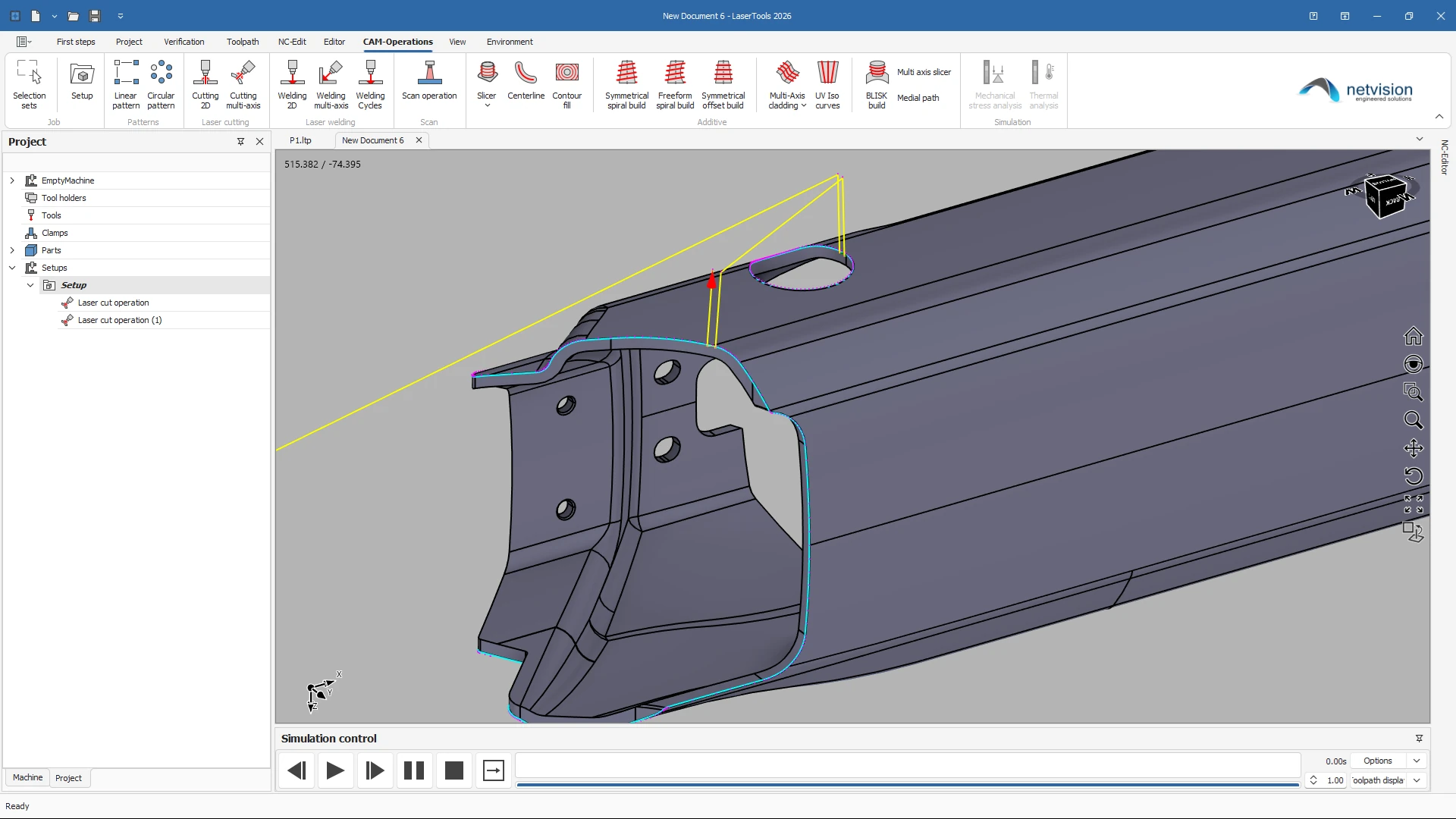
From CAD model to cutting program without detours

Parts are imported in the common exchange formats and prepared inside the same environment – no round trips through a second CAD system. Contours and faces are picked directly on the model and stored as reusable selection sets, imported topology is repaired, and sketches, DXF and DWG data can be brought in and edited on the spot. Programming starts on the geometry you actually received.

2 to 5-axis cutting strategies with parametric control

A single strategy family covers flat contour cutting as well as full 3+2 and 5-axis trimming of formed and free-form parts. The multi-axis strategy aligns the beam to the faces adjacent to the selected contour, or determines the bitangent between them automatically. Side and advancing angle, lead-in and lead-out geometry, beam compensation, micro joints and cutting order are parameters, not manual rework – when the geometry changes, the toolpath follows.
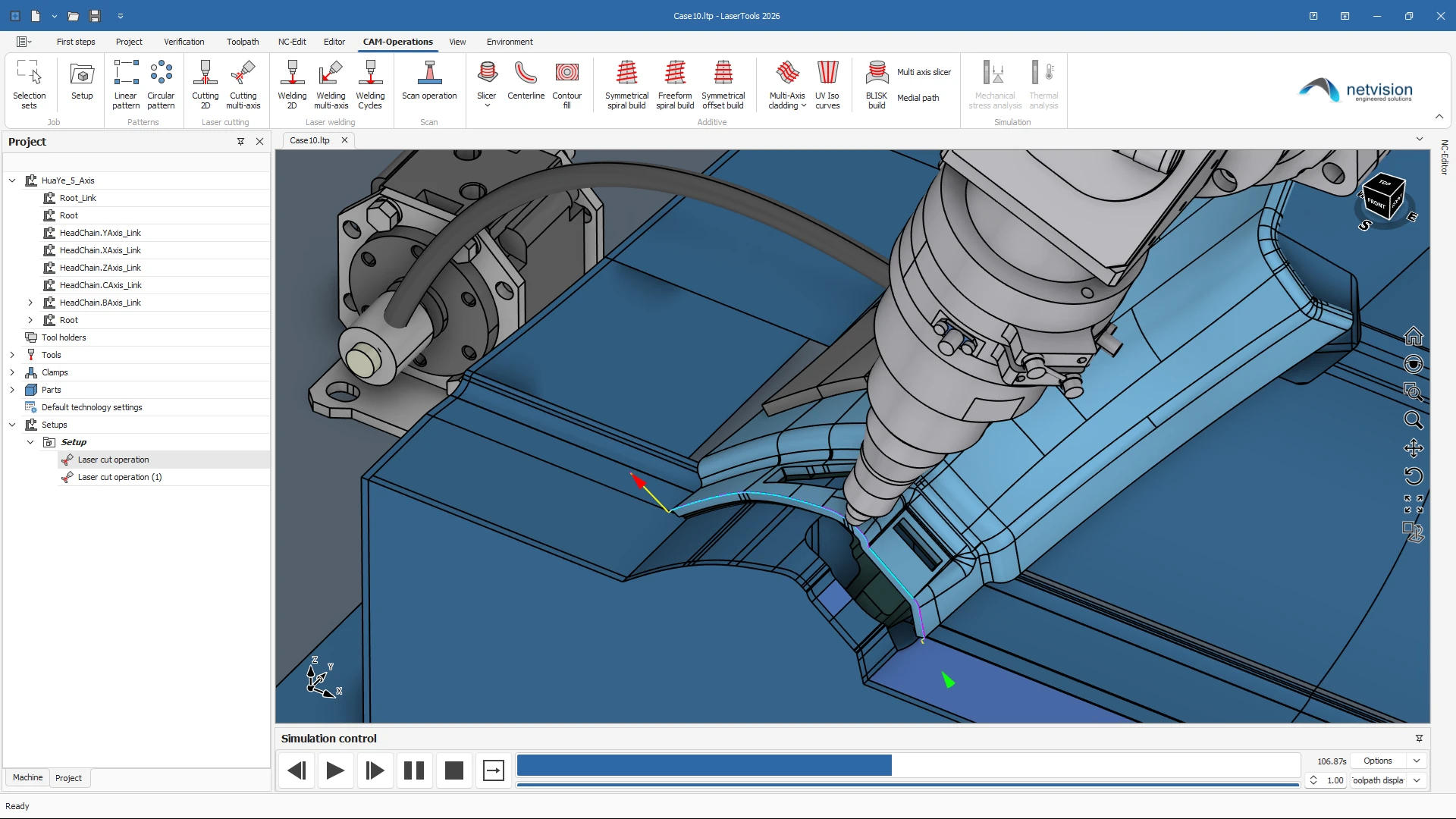
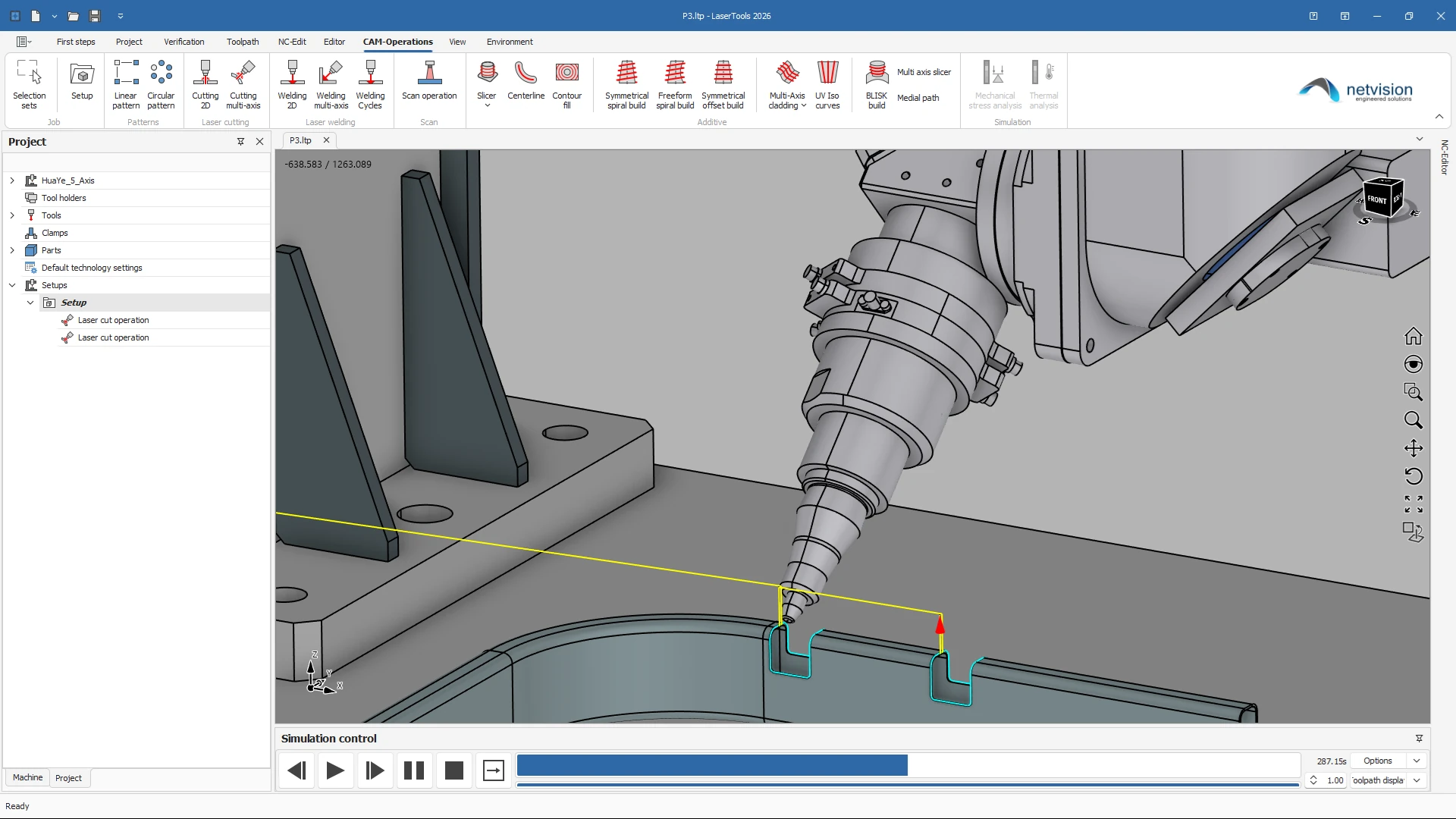
Collision-safe programming in the digital twin

Machine kinematics, cutting head, fixtures and clamping are part of the programming environment. Pre-computed collision data keeps the check fast even on large programs, and automatic retraction calculates collision-free linking moves instead of forcing a full retract after every contour. Axis limits, reachability and the accessible machining area are shown on the model, so an out-of-limit position shows up at the programming station and not on the shop floor.
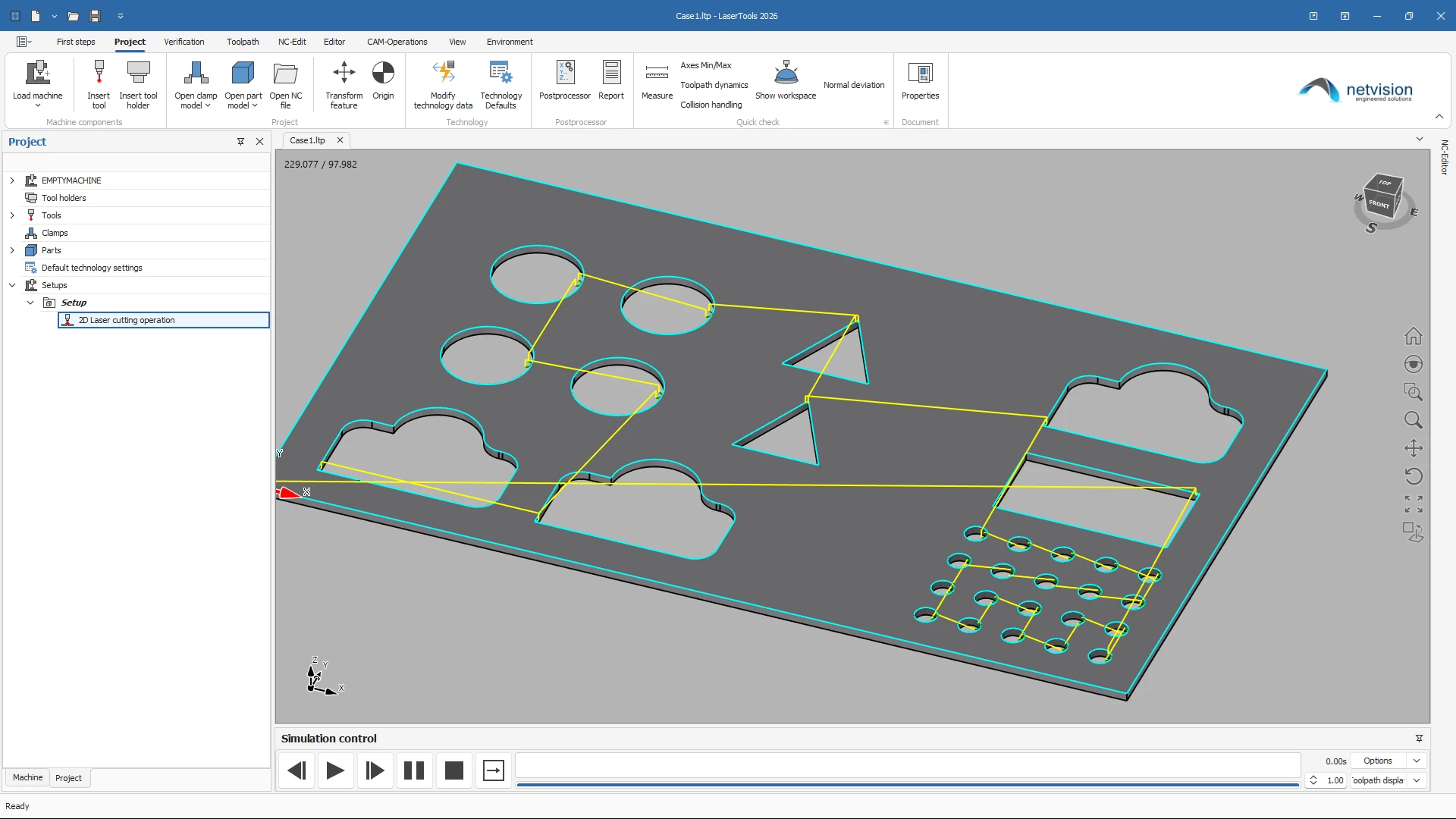
Machine-ready NC output

Post processors for Sinumerik and Trumpf TruLaser Cell controls – Powerline, SolutionLine and Sinumerik One – as well as robot controls deliver code that runs. Analytical arcs are output directly or fitted within a defined tolerance, which reduces the number of NC blocks and smooths the motion on the machine. Technology tables, several technology sets per operation and modifiers on individual moves put power, feed, frequency and ramping exactly where the process needs them.

Extend Cut with add-ons

Same project, same CAD kernel, same digital twin.

Features

Everything in netvision LaserTools Cut, at a glance.

netvision LaserTools Cut covers the whole range of laser cutting, from flat contours to full 5-axis trimming of formed parts. Beam alignment, lead-in and lead-out, beam compensation and micro joints are parametric, so the toolpath follows the geometry. Every program is verified against the digital twin of the real machine before a single block reaches the control.

Model preparation

  • CAD interoperabilityImport, modification and preparation of models for automated cutting
  • Supported file formatsDXF, DWG, STEP, IGES, SAT, STL, BREP, IPT, IAM, 3DM
  • Integrated modellingSolids, surfaces, meshes and subdivision bodies in one environment
  • Sketching2D and 3D sketches with constraints; DXF and DWG imported straight into a sketch
  • Topology repairMerging of edges, replacement of edges by curves, removal of degenerate faces
  • Splitting and trimmingSplit by face, curve or plane for the preparation of cutting regions
  • Contour extractionDetection of edges, contours and cut-relevant regions
  • Selection setsReusable contour and face selections across operations
  • Work planes and measuringTrue minimum distances, radius reporting, planes from geometry or points
  • Scan data supportPoint clouds and meshes of as-built parts, cleaned, meshed and best-fit aligned
  • Cutting 2DContour cutting on flat geometry with full control of cutting order and start points
  • Cutting multi-axis3+2 and 5-axis contour cutting on formed and free-form parts
  • Automatic beam alignmentOrientation from the adjacent faces or from the automatically determined bitangent
  • Axis tilt optionsSide angle and advancing angle for lead and lag control
  • Beam compensationOffset to the inside or outside, radius compensation with minimum compensation distance and radial stock
  • Lead-in and lead-outOrthogonal, tangential and free-angle linear leads, quarter, half and free arcs, with separate lead feeds
  • Micro jointsLocal and global micro joints, with the option to start every contour at a micro joint
  • Contour handlingAutomatic closing of contours, machining side for open contours, fixed start points and start positions
  • Cutting orderInner contours before outer contours, sorting rules and smooth bridging between contours
  • Arc outputDirect use of analytical arcs plus tolerance-controlled arc fitting to G2/G3
  • Link controlApproach and retract distances, automatic collision-free linking moves
  • Technology managementProject-wide default technology, technology tables and several technology sets per operation
  • Move modifiersFeed, acceleration, laser power, frequency, ramping and presets on selected moves, grouped in change sets
  • PatternsLinear and circular patterns of complete operations
  • Toolpath editingTrimming, limiting and manual moves, plus manually created lines and arcs
  • Feedrate optimization (option)Database-driven tuning of feedrates
  • Operation statisticsAxis limits, machining area and reachability visualization
  • Multi-part setupsSeveral parts in one project, each with its own clamping and zero point
  • Digital-twin executionMirroring of realistic NC behaviour utilizing a fully synchronized virtual twin
  • Collision analysisReworked and considerably faster through pre-computed collision data
  • Kinematic flexibilitySwitchable controllers for table or head kinematics and multiple zero points
  • Critical-axis acceleration insightsHighlighting of dynamic load behaviour during motion
  • Operation-to-NC connectivityMaintaining of direct links between machining steps and code
  • Best-fit positioningPart aligning for optimal geometric accuracy
  • Breakpoint-driven analysisEnabling of focused inspection of critical process moments
  • HMI action emulationMirroring of machine-side commands such as fixture operations
  • Subroutine and cycle executionMachine logic reflection for realistic program behaviour
  • NC version controlTracking of program revisions throughout the workflow
  • NC transformation engineAdapting and restructuring of NC programs for new setups
  • Integrated NC editingDirect in-environment code refinement with breakpoints
  • Post processorsSinumerik, Trumpf universal post for Powerline, SolutionLine and Sinumerik One, TruLaser Cell BA/BC and robot controls
  • Orientation modesORIAXES, ORIVECT and ORIPLANE for circular interpolation
  • NC program splittingReliable output of large programs
  • ReportsSetup and program documentation generated from the project

Ready to see netvision LaserTools with your parts?

Book a live demo and we will discuss your requirements individually.