
Add-on

netvision LaserTools AddOn Subdivision CAD

Smooth free-form surfaces from a handful of control points, ready for CAM.

Laser processing rarely stops at prismatic geometry. Repair envelopes, formed sheet parts, free-form fixtures and shapes taken from a scan all call for surfaces that are smooth, watertight and quick to change. With subdivision modelling, netvision LaserTools adds a new body type for exactly that – right inside the environment in which the part is later programmed.
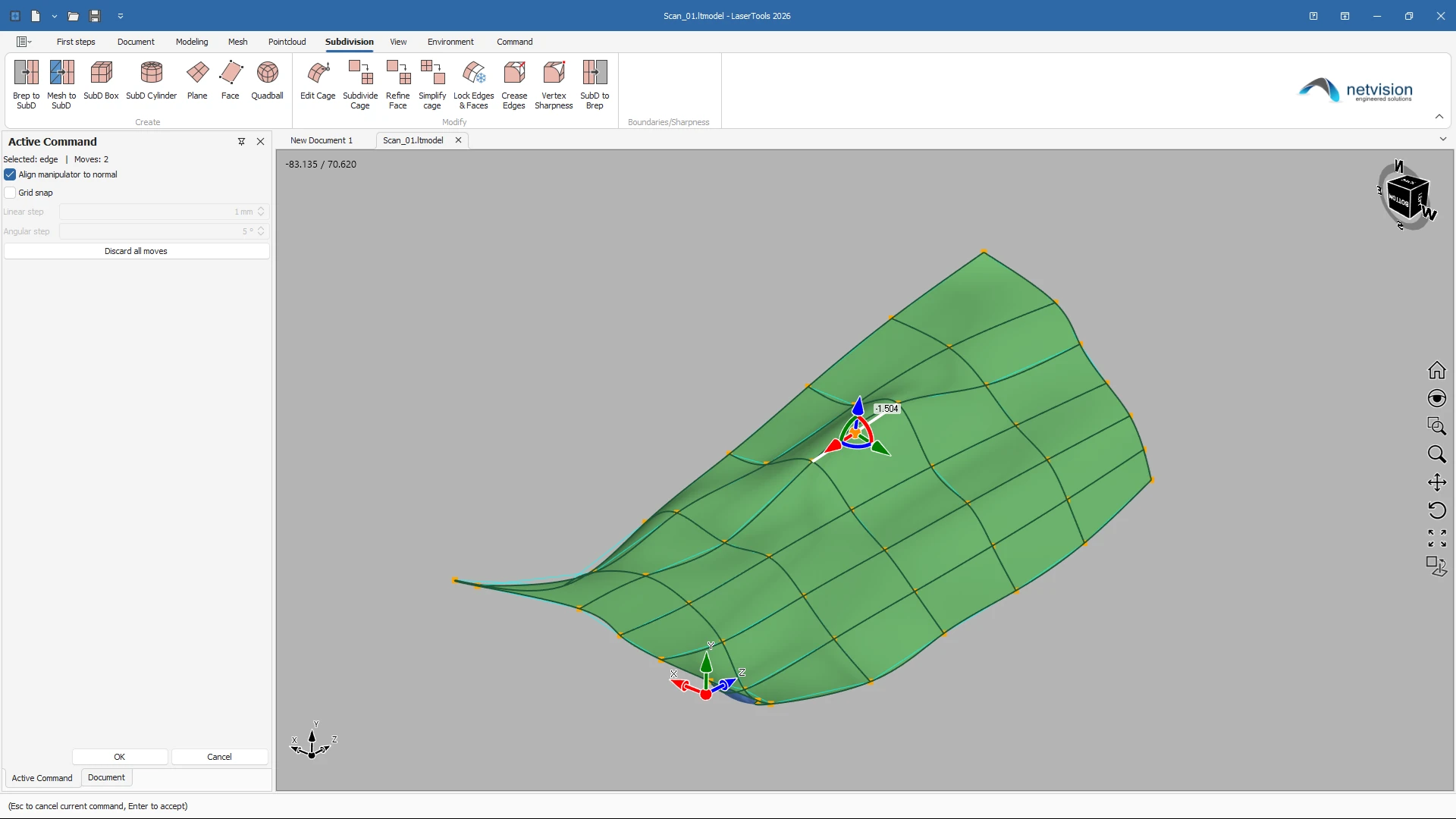
Free-form shapes from a handful of control points

A SubD body is shaped by a coarse control cage instead of a patchwork of individual surfaces. The Catmull-Clark limit surface computed from that cage is smooth by construction, and every patch meets its neighbours without gaps. Sharp features are added where they belong: edge creases and vertex sharpness on a scale from smooth to a true hard edge or corner.

Editing that keeps its history

Moving cage vertices, creasing edges, sharpening corners, refining faces and locking regions are separate steps in the model tree, each with its own options. Edits are stored against the identity of the cage elements, not their position in a list – change a dimension of the underlying primitive and the edits follow. Locks protect finished regions from further editing, and an isolate option decouples them completely.
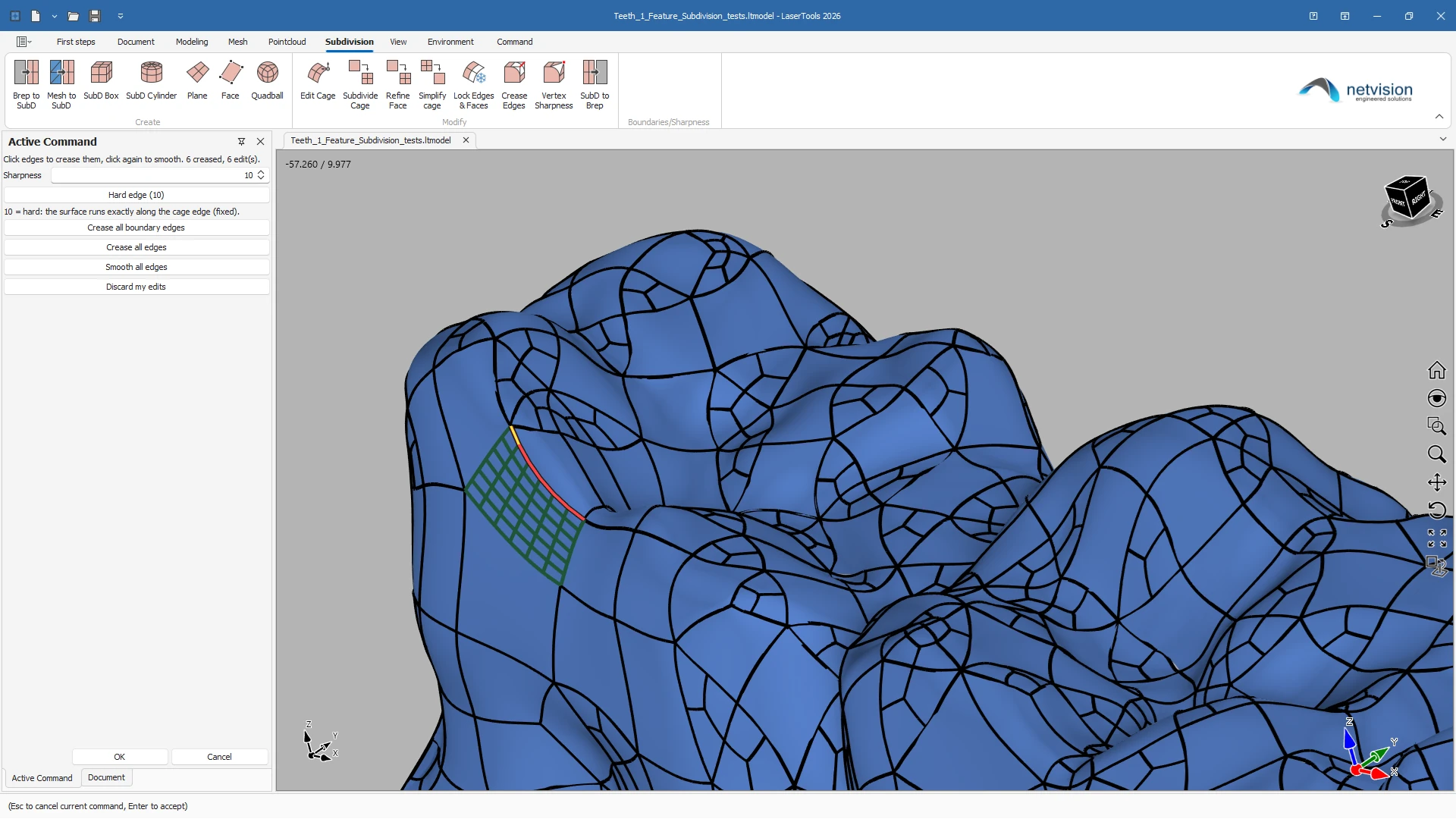
From scan mesh to clean surface

Meshes from a scan or from an STL file are turned into a coarse quad-dominant cage whose limit surface is fitted to the mesh within a defined tolerance. Cages that have become too dense are simplified again, measured against the original limit surface, with the deviation shown as a colour map – so the lighter cage is proven to describe the same shape.

Straight into modelling and CAM

Every SubD body carries its NURBS representation, one NURBS face per patch. A single step hands it out as a regular Brep body, which every modelling command and every CAM operation accepts – with the option to keep the SubD body and its cage editable next to it. Existing surface bodies can be brought into the SubD world the other way round, with the cage rim placed on their original boundary.

Works with

Same project, same CAD kernel, same digital twin.

Features

Everything in netvision LaserTools AddON Subdivision CAD, at a glance.

netvision LaserTools AddOn Subdivision CAD brings subdivision modelling into the laser programming environment. Shape free-form bodies with a coarse control cage, add hard edges and corners where they belong, and rebuild scan meshes into clean surfaces within a defined tolerance. One step turns the result into a regular Brep body that every modelling command and every CAM operation accepts.

Creating SubD bodies

  • SubD planeRectangular cage with free size and segment count in U and V
  • SubD boxBox cage with size in X, Y and Z and adjustable edge sharpness
  • SubD cylinderCylinder cage with radius, height, radial and height segments, optional caps and adjustable rim sharpness
  • Mesh to SubDReconstruction of a coarse control cage from a mesh, with target face count, fit tolerance, isolation level and boundary sharpness
  • Brep to SubDRe-fit of a surface body into an editable cage, with the rim placed on the original boundary and the source body optionally kept
  • Live previewLimit surface shown while parameters change, before the body is created
  • Industry-standard kernelCatmull-Clark subdivision based on OpenSubdiv
  • Edit cagePicking and moving of cage elements with a manipulator, grid snapping with linear and angular step, manipulator alignment to the surface normal
  • Crease edgesEdge sharpness from smooth to hard edge, for single edges, all boundary edges or all edges at once
  • Vertex sharpnessCorner sharpness from smooth to hard corner, including all boundary vertices at once
  • Subdivide cageUniform Catmull-Clark subdivision over several levels; the surface stays exactly the same, only the number of handles grows
  • Refine faceLocal refinement of selected faces into a finer grid, while the rest of the cage stays coarse
  • Simplify cageTolerance-driven coarsening by stepping back subdivision levels, dissolving edge loops, or both; creases, sharp vertices and locks can be kept untouched
  • Deviation colour mapVisual proof of how far the simplified surface departs from the original, with freely set green and red limits
  • Lock edges and facesProtection of finished regions against moving, splitting and re-tagging, with an isolate option that decouples the region by a hard crease
  • History-based editsEvery operation a separate node in the model tree, edits keyed on cage element identity and preserved when the underlying primitive changes
  • Discard and resetPer-command reset of moves, creases, sharpness and locks
  • SubD to BrepHand-over of the NURBS quilt as a regular Brep body, with the SubD body optionally kept editable
  • Watertight NURBS quiltOne NURBS face per patch, assembled directly from the cage connectivity
  • Full Brep toolsetConverted bodies accepted by all solid and surface modelling commands
  • CAM-ready geometryConverted bodies used like any other part geometry for cutting, welding and deposition toolpaths
  • Scan-to-surface workflowPoint clouds and meshes from the scanning workflow as the starting point for SubD reconstruction
  • Units everywhereAll inputs, limits and step sizes follow the document unit, millimetre or inch

Ready to see netvision LaserTools with your parts?

Book a live demo and we will discuss your requirements individually.